FAQ
Before making an internal transfer via HPX, please make sure to download the HPX App and register a HPX account.
App Instructions
1. Open the CoinW App and tap the account icon in the top left corner of the homepage to enter the "More" menu.
2. Tap your profile picture to access the Personal Center.
3. In the Personal Center, tap HPX Connection to proceed.
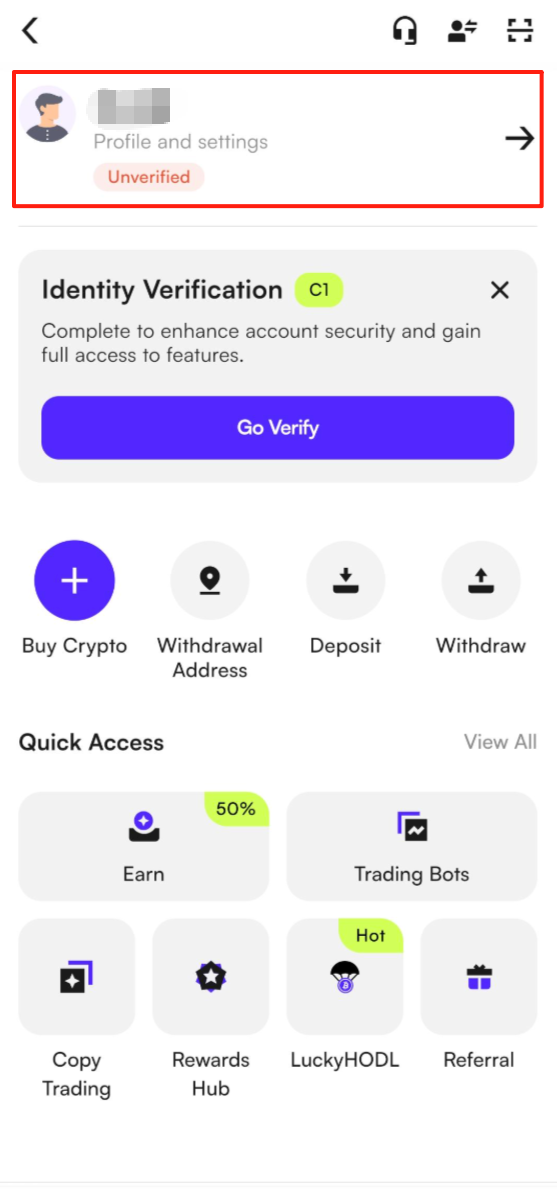
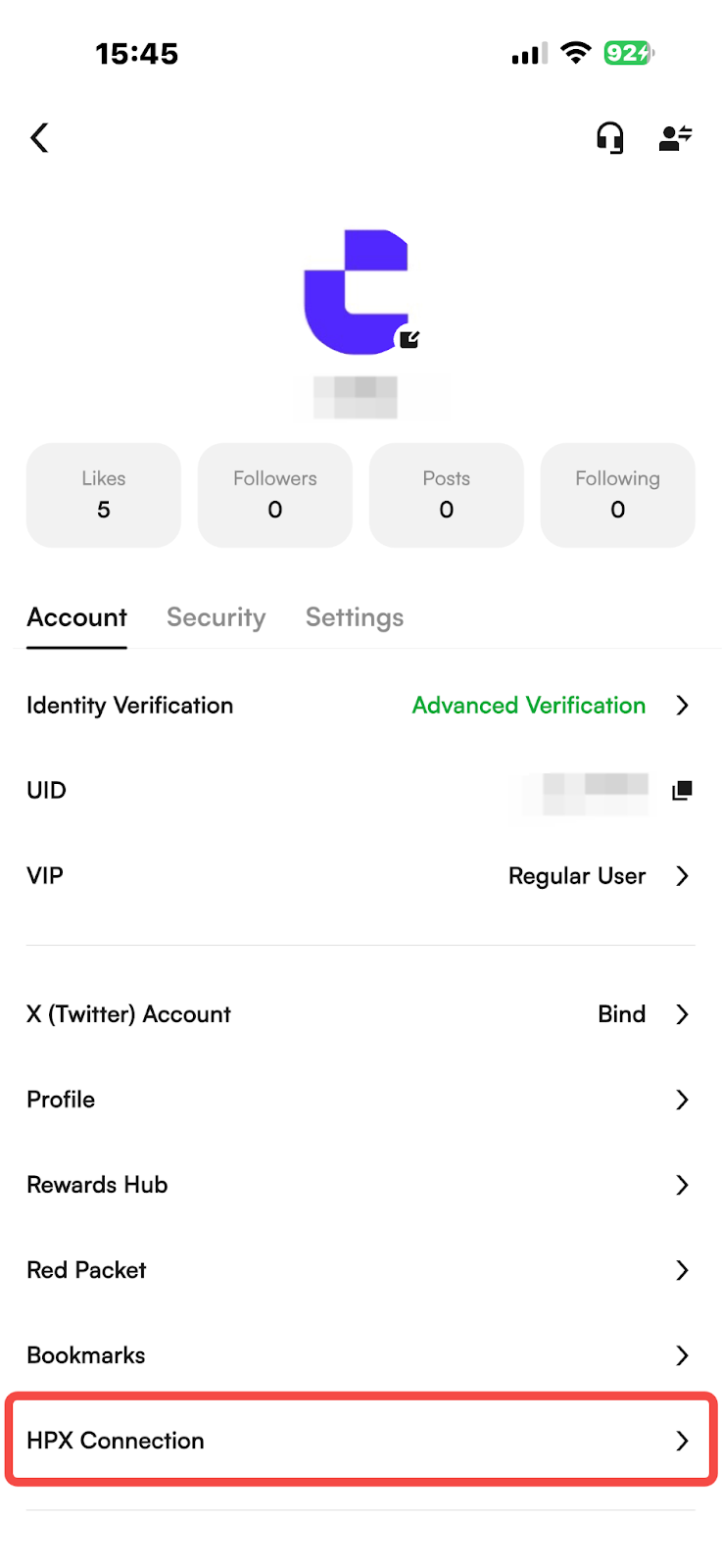
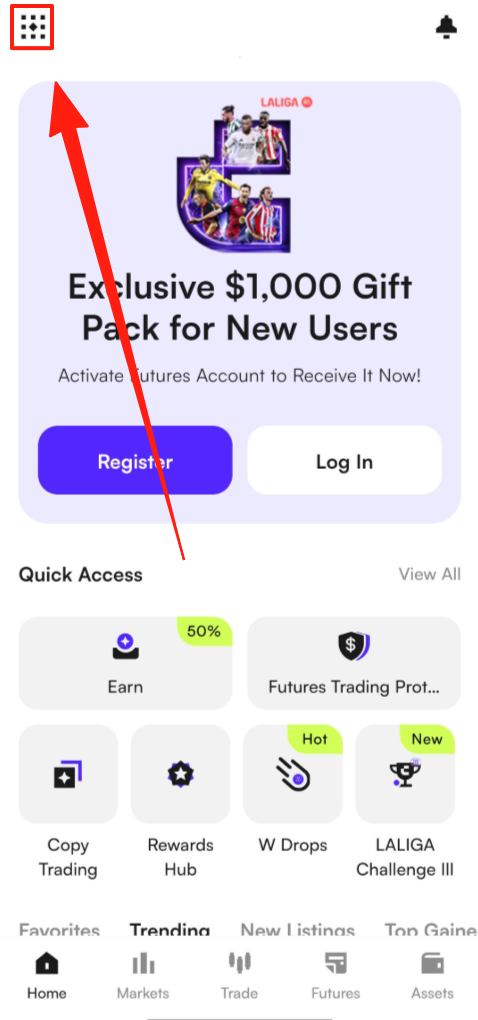
4. On the HPX Connection page, tap “One-Click Bind” at the bottom and follow the on-screen instructions to complete the binding process.
5. Once redirected to the HPX App, tap “Authorize CoinW Exchange” to complete the binding.
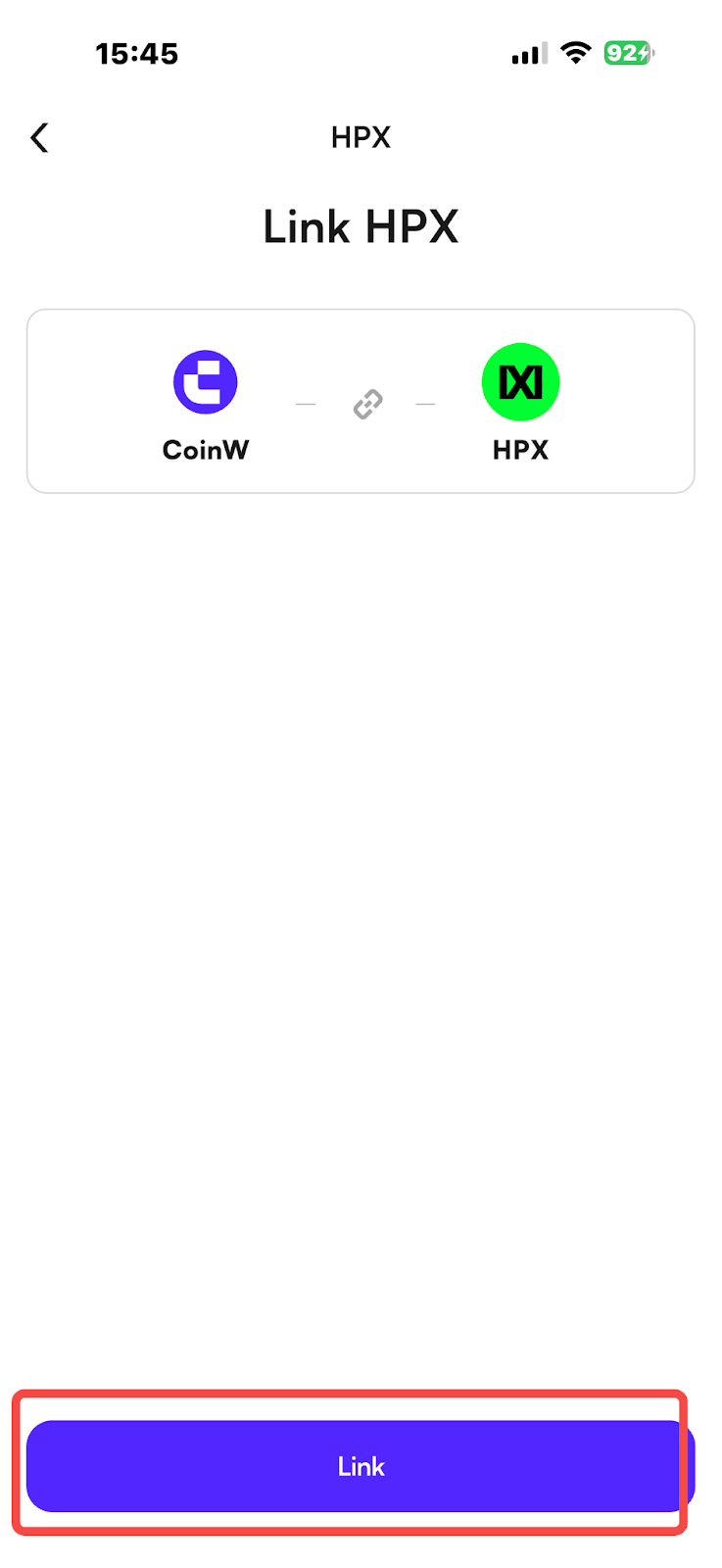
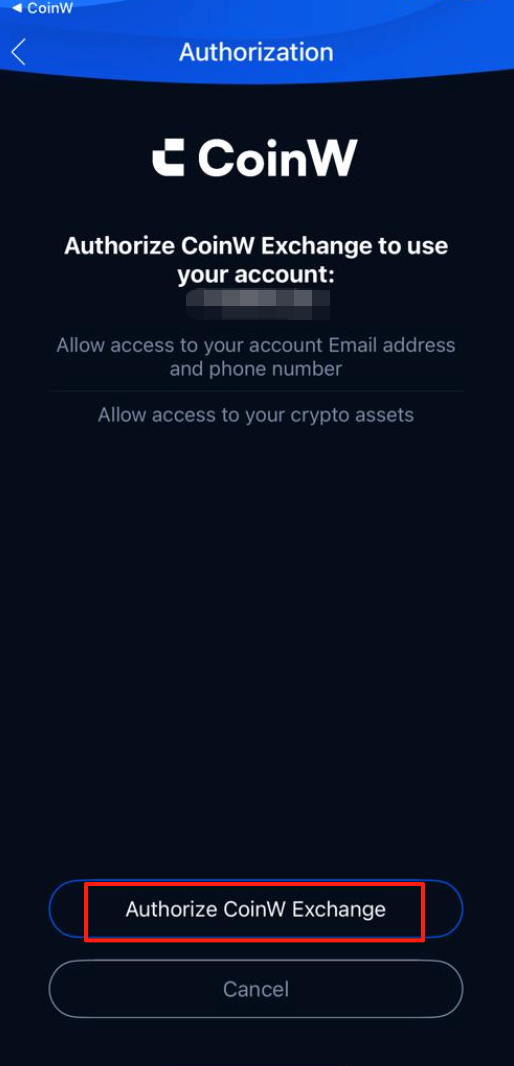
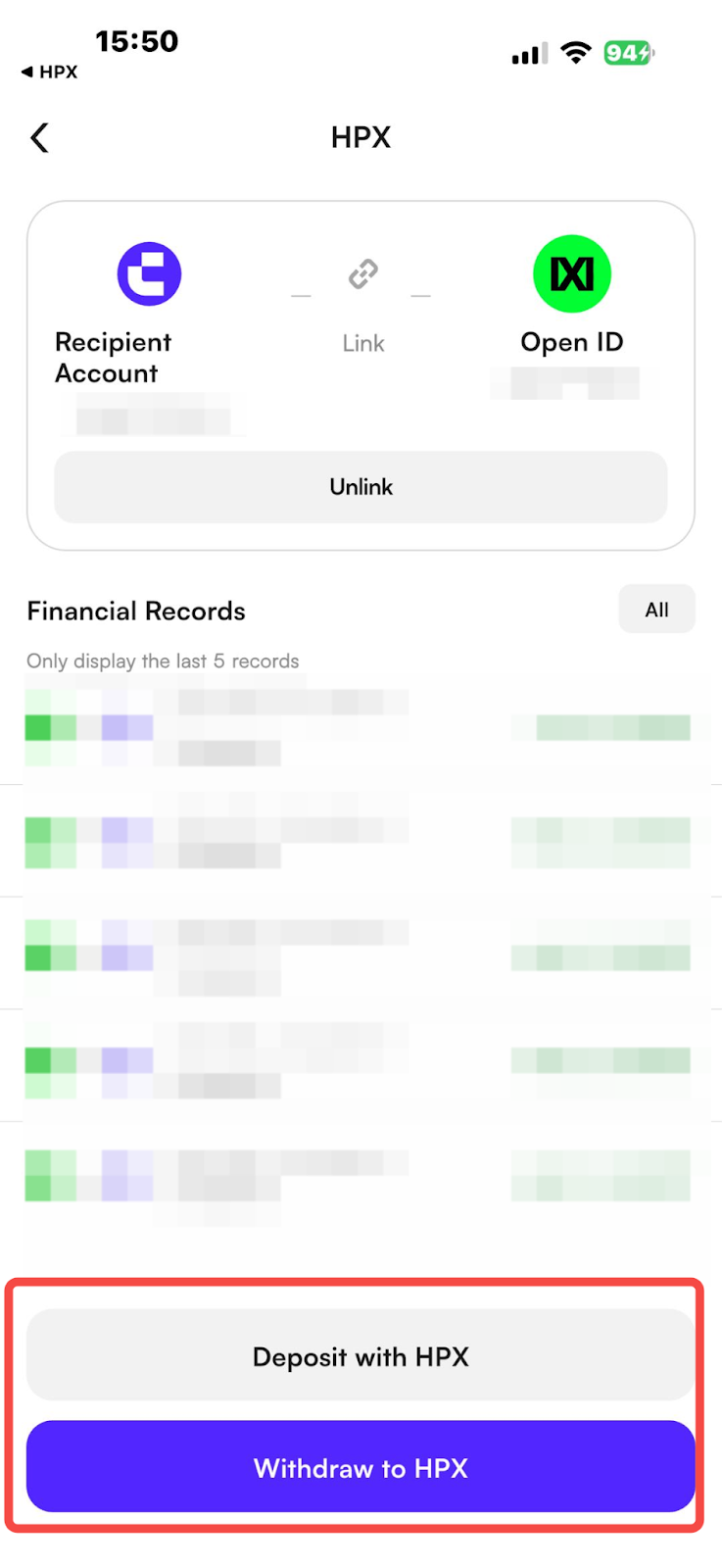
6. After the binding is successful, please return to the CoinW HPX Connection page. The page will display a message indicating that CoinW and HPX are in the process of binding.
7. You can proceed based on your needs:
Deposit from HPX: Transfer assets from your HPX account to your CoinW account (this will redirect you to HPX to complete the operation).
Withdraw to HPX: Transfer assets from your CoinW account to HPX (this operation is completed within the CoinW app).
WEB
1. Log in to the official CoinW website and hover your mouse over the profile icon in the upper right corner.
2. After clicking "Account & Security," select the "Bind HPX" page.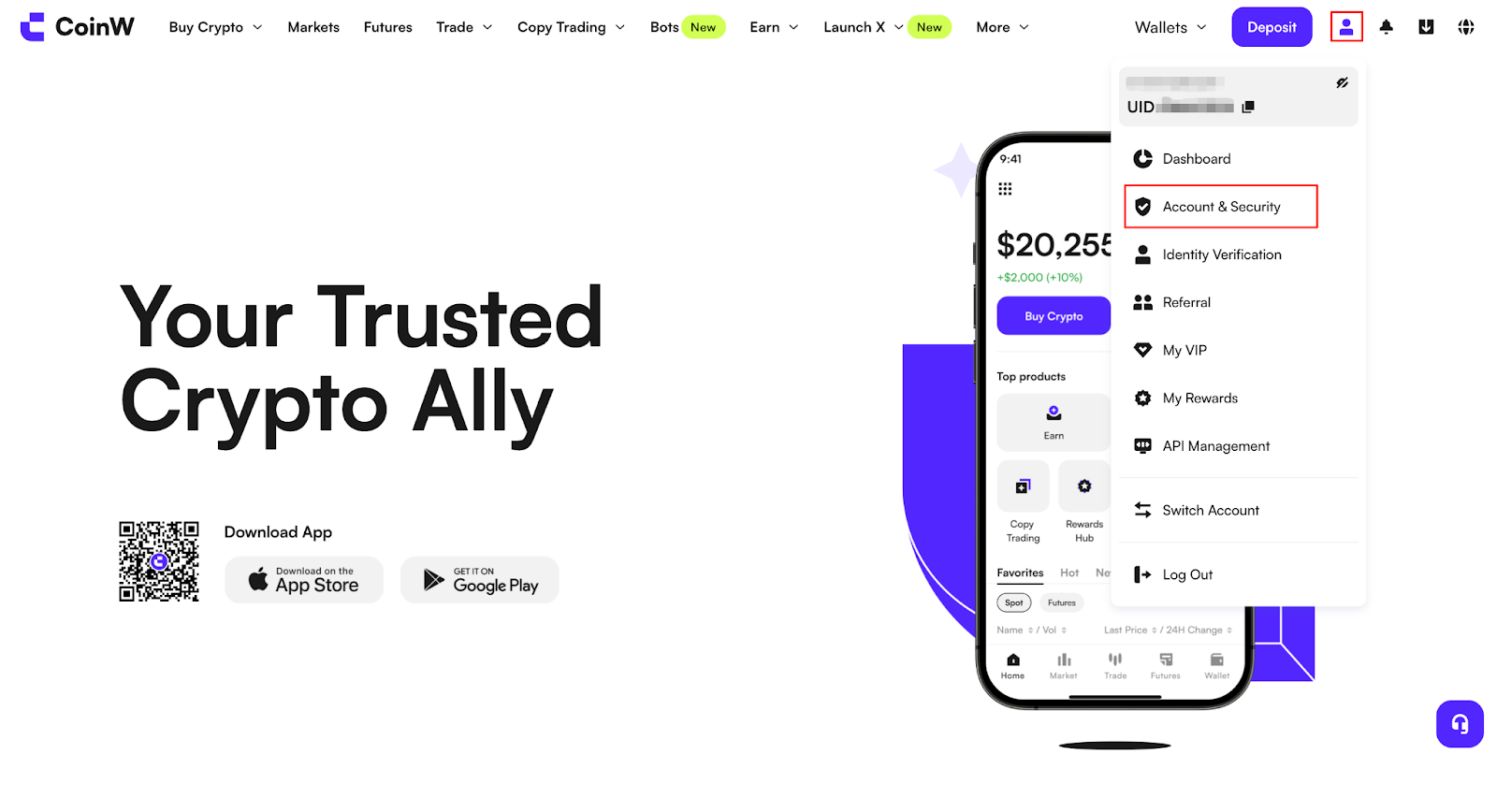
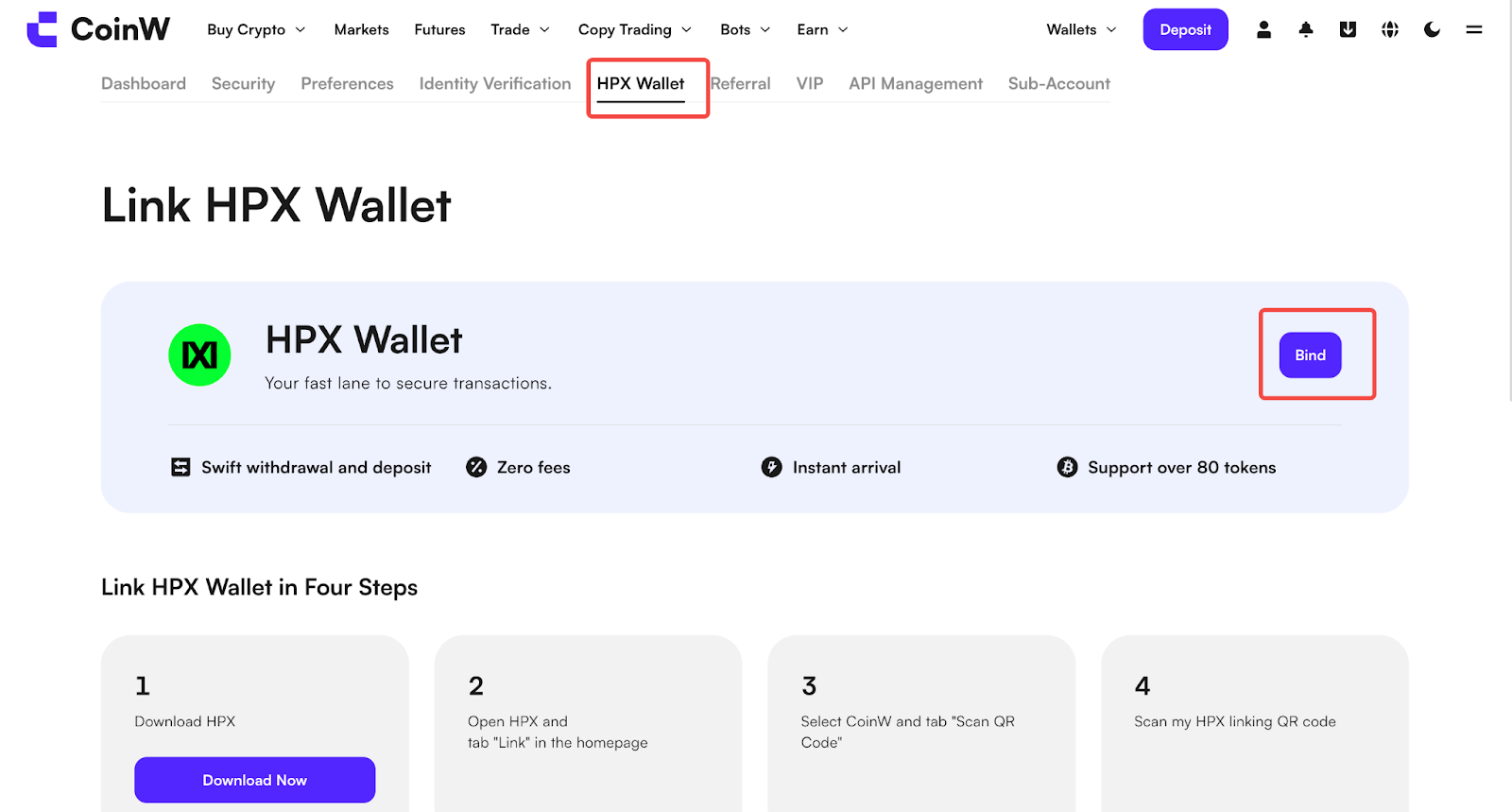
3. On the Bind HPX page, click “Bind Now.”
4. After clicking “Bind Now,” you will be redirected to the official HPX website.
5. Log in to your account using the HPX App, then use the scan code feature in the top right corner to complete the binding. (Note: The scan code function is only available in the HPX Pro interface.)
6. After the binding is complete, please return to the CoinW website’s Bind HPX page. The page will display a message indicating that CoinW and HPX have been successfully bound.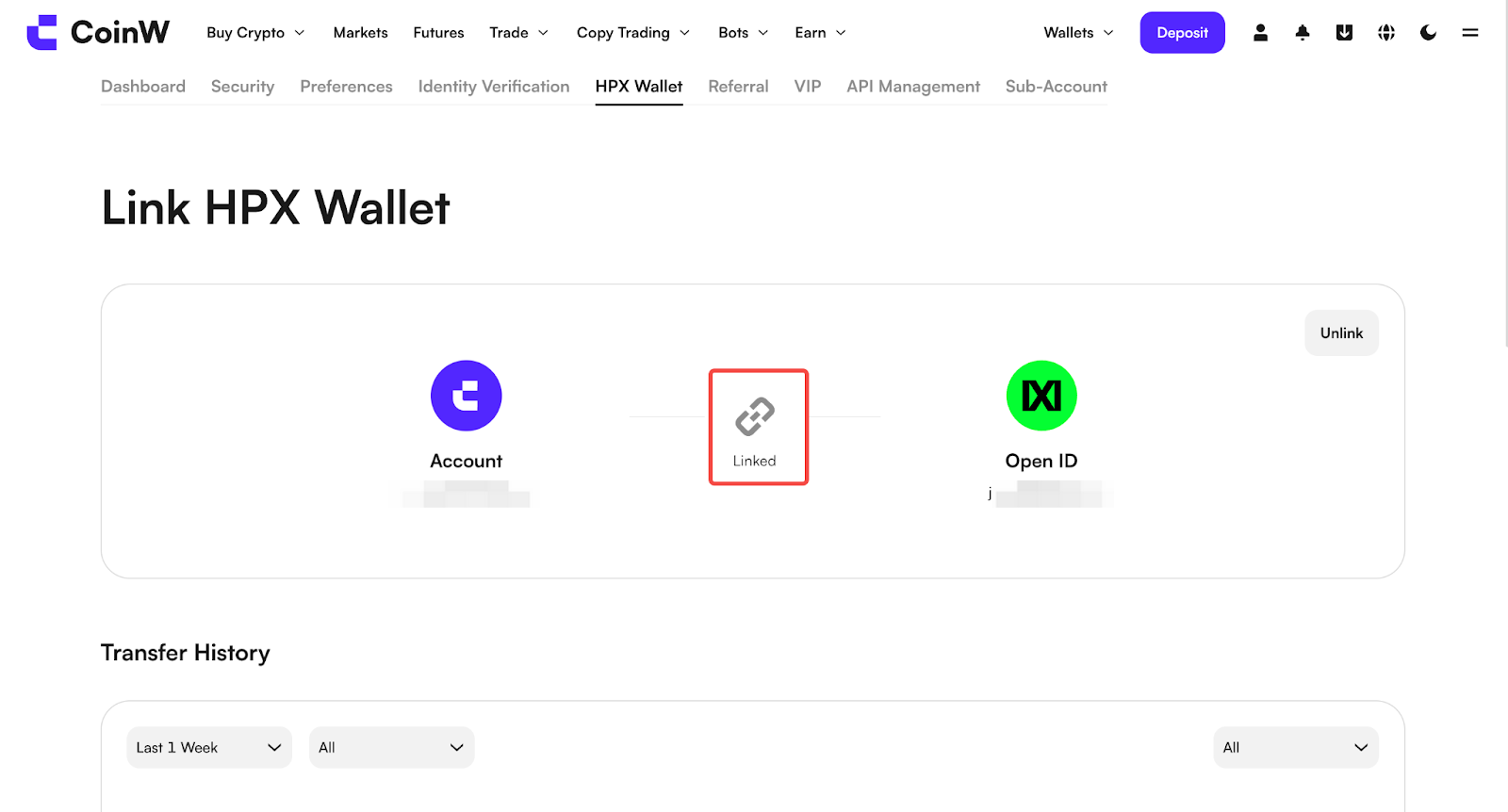
7. The website and the app operate differently. If you wish to withdraw from CoinW to HPX, you need to go to the withdrawal page to complete the process.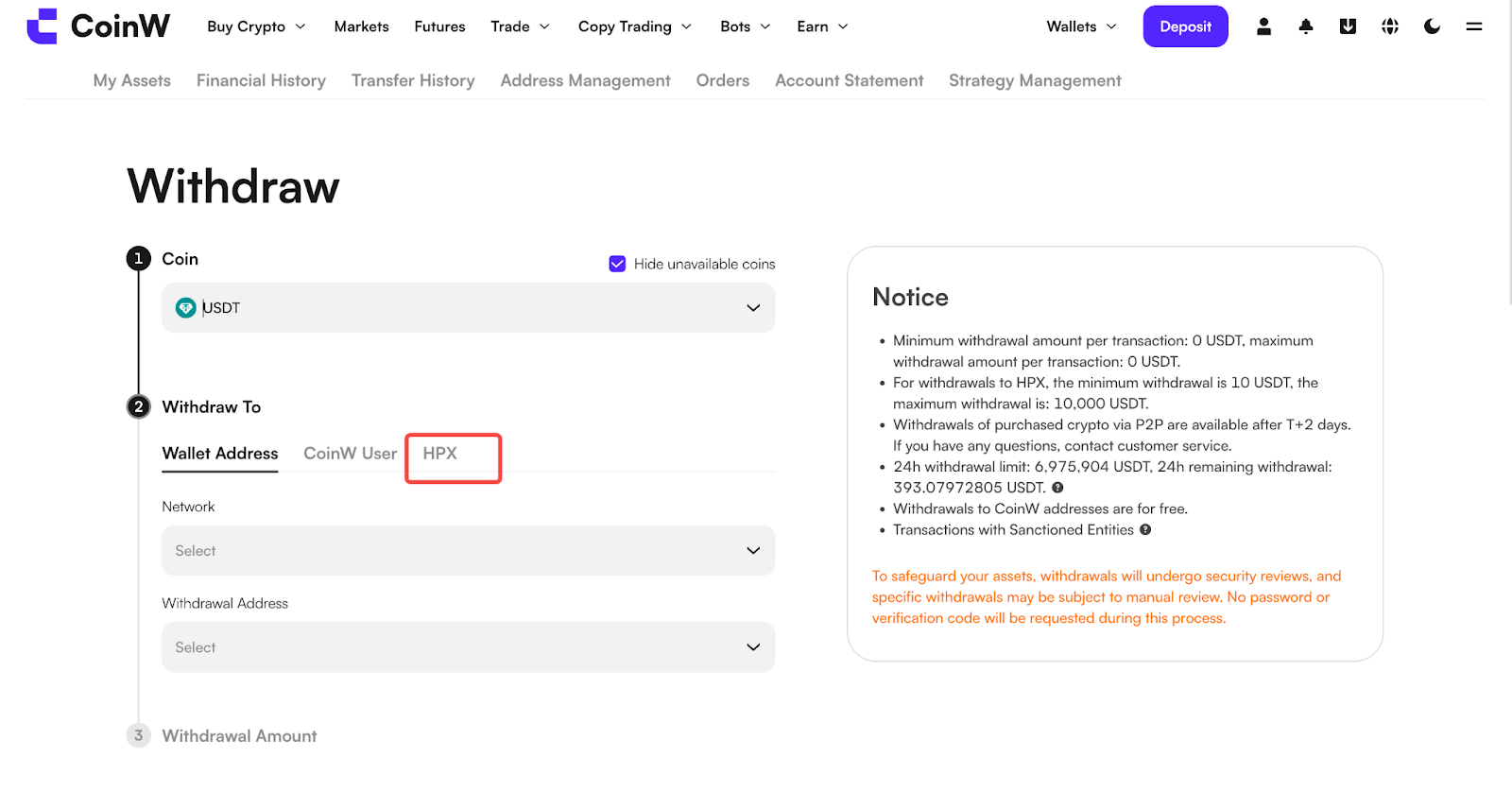
Before making an internal transfer via HPX, please make sure to download the HPX App and register a HPX account.
App Instructions
1. Open the CoinW App and tap the account icon in the top left corner of the homepage to enter the "More" menu.
2. Tap your profile picture to access the Personal Center.
3. In the Personal Center, tap HPX Connection to proceed.
4. On the HPX Connection page, tap “One-Click Bind” at the bottom and follow the on-screen instructions to complete the binding process.
5. Once redirected to the HPX App, tap “Authorize CoinW Exchange” to complete the binding.
6. After the binding is successful, please return to the CoinW HPX Connection page. The page will display a message indicating that CoinW and HPX are in the process of binding.
7. You can proceed based on your needs:
Deposit from HPX: Transfer assets from your HPX account to your CoinW account (this will redirect you to HPX to complete the operation).
Withdraw to HPX: Transfer assets from your CoinW account to HPX (this operation is completed within the CoinW app).
WEB
1. Log in to the official CoinW website and hover your mouse over the profile icon in the upper right corner.
2. After clicking "Account & Security," select the "Bind HPX" page.
3. On the Bind HPX page, click “Bind Now.”
4. After clicking “Bind Now,” you will be redirected to the official HPX website.
5. Log in to your account using the HPX App, then use the scan code feature in the top right corner to complete the binding. (Note: The scan code function is only available in the HPX Pro interface.)
6. After the binding is complete, please return to the CoinW website’s Bind HPX page. The page will display a message indicating that CoinW and HPX have been successfully bound.
7. The website and the app operate differently. If you wish to withdraw from CoinW to HPX, you need to go to the withdrawal page to complete the process.