FAQ
Procedure for Selling USDT in P2P Trading
At CoinW, we provide a USDT selling function, allowing you to convert your USDT into fiat currencies such as RMB, TWD, or USD.
Before selling USDT, you need to complete the following preparations:
(1) Transfer your USDT assets to the Buy Crypto Account.
(2) Bind your payment method.
WEB
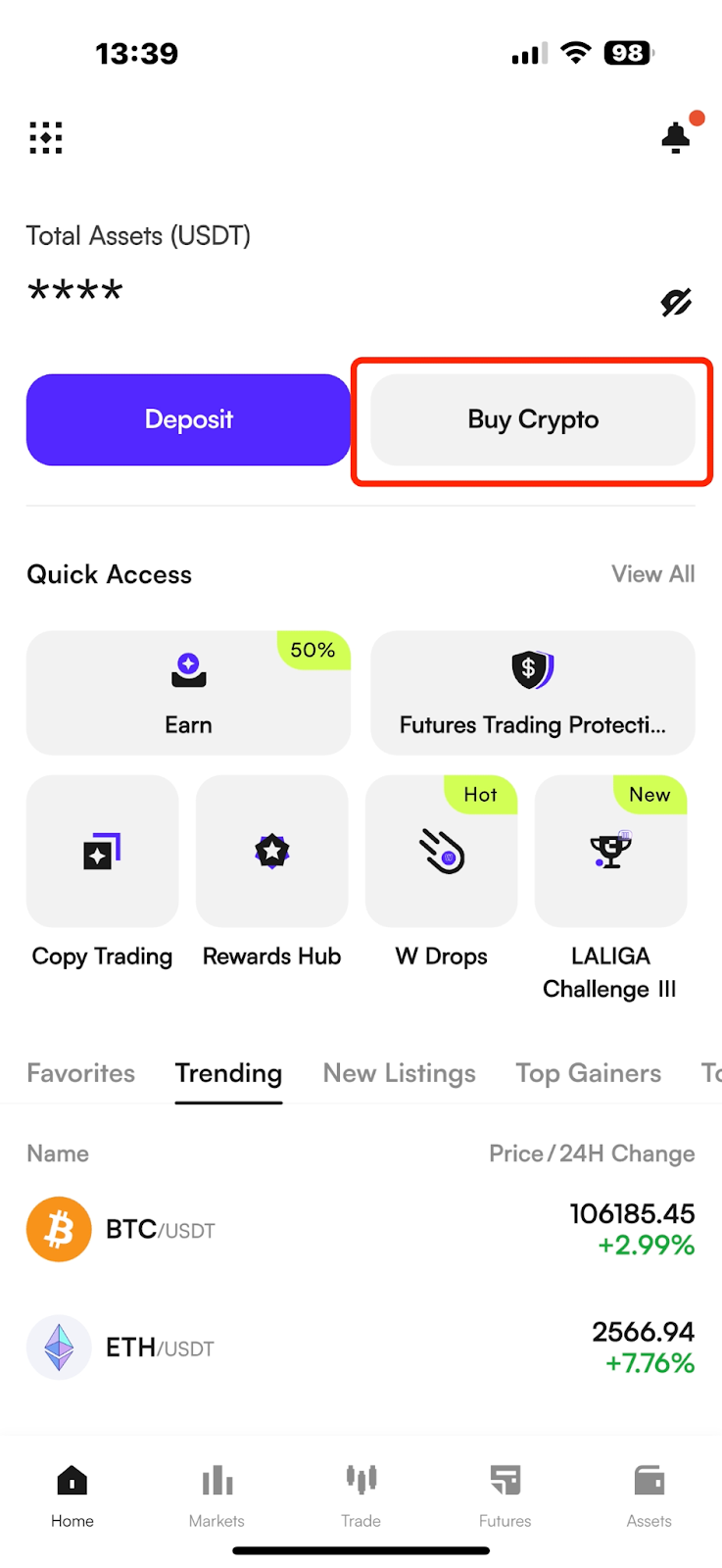
(1) Open the CoinW app, log in to your account, click on the "Trade" button in the bottom navigation bar of the homepage to enter the trading interface. After entering the trading interface, click on the "Buy Crypto" button at the top to enter the P2P Trading interface.
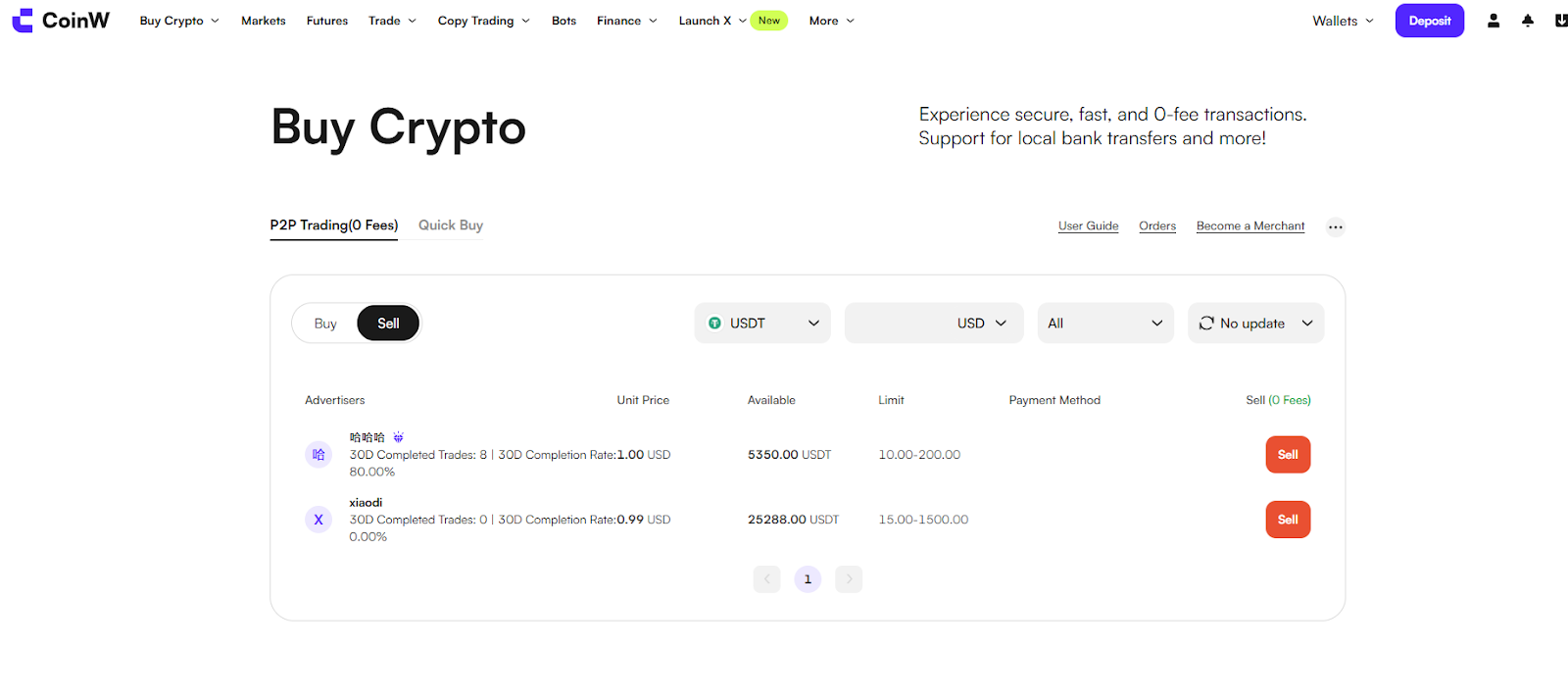
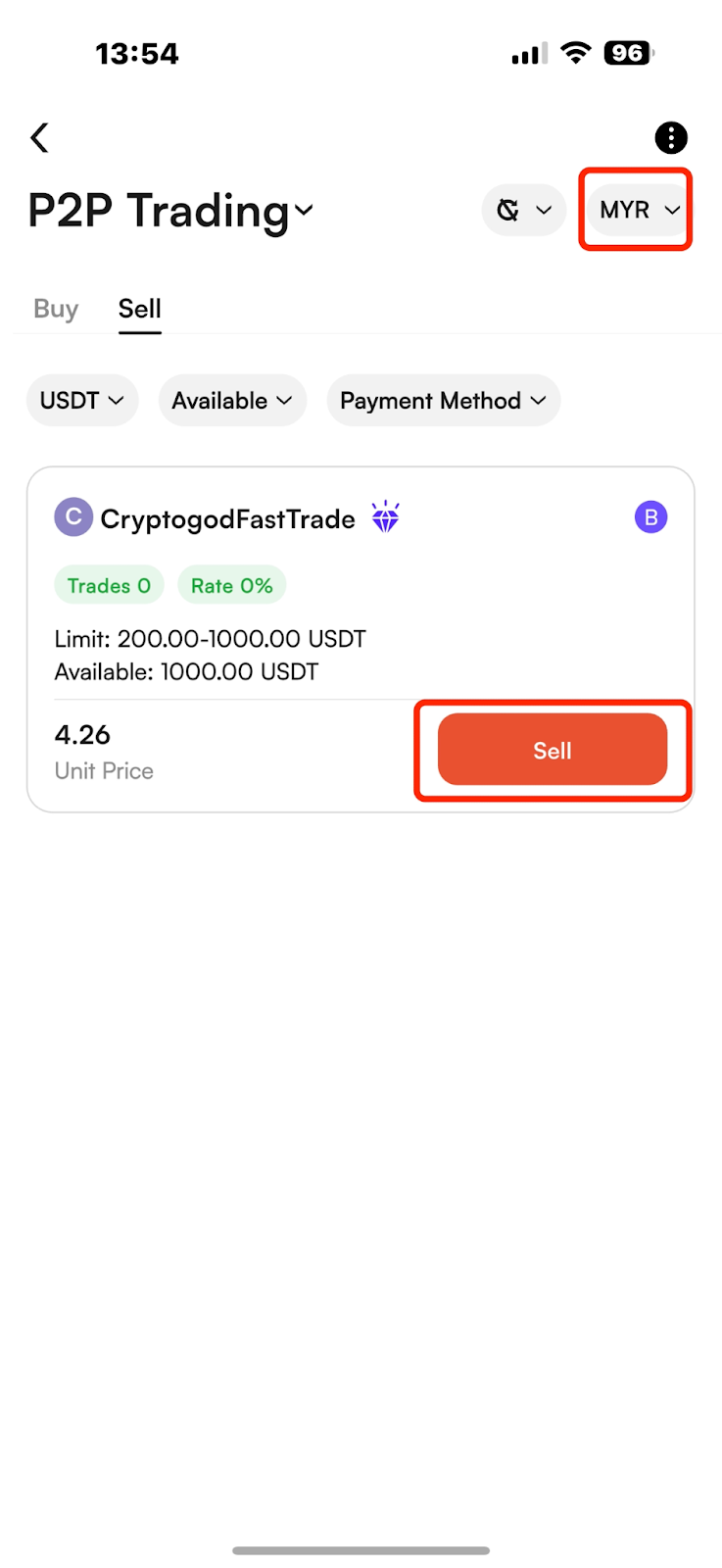
(2) After entering the Buy Crypto trading interface, click the "Sell" button at the top to view the list of current merchant orders: You can use the filter options at the top to select a suitable merchant for the transaction. Once you've chosen a suitable merchant, click the "Sell USDT" button next to their advertisement to initiate a sell order.
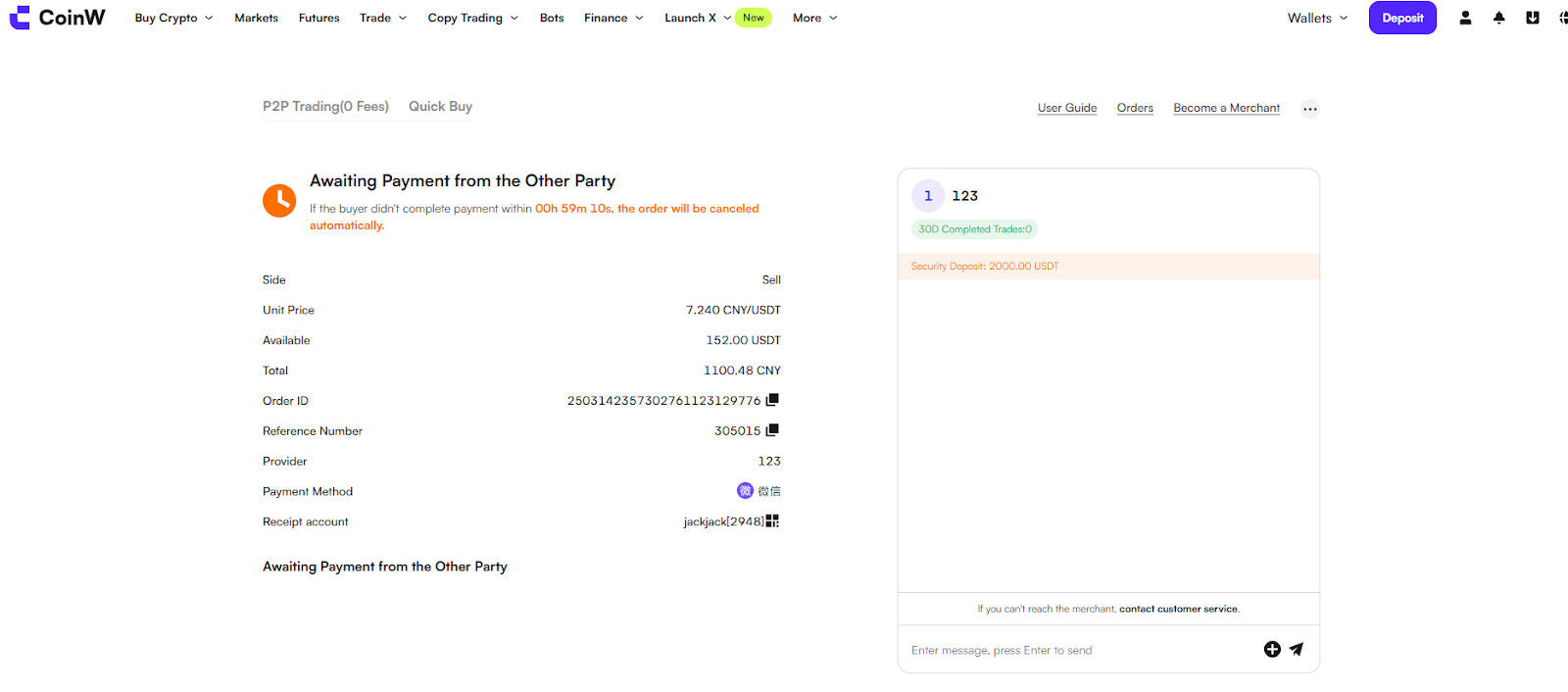
(3) After the merchant receives your order, they will transfer the payment to your designated payment method within the specified time. Once the transfer is successful, the merchant will mark the order as "Paid."
(4) You need to check your bank account to verify if the payment has been received and if the amount is correct. If you have successfully received the payment, please find the order and click "Confirm Receipt" to complete the order.
APP
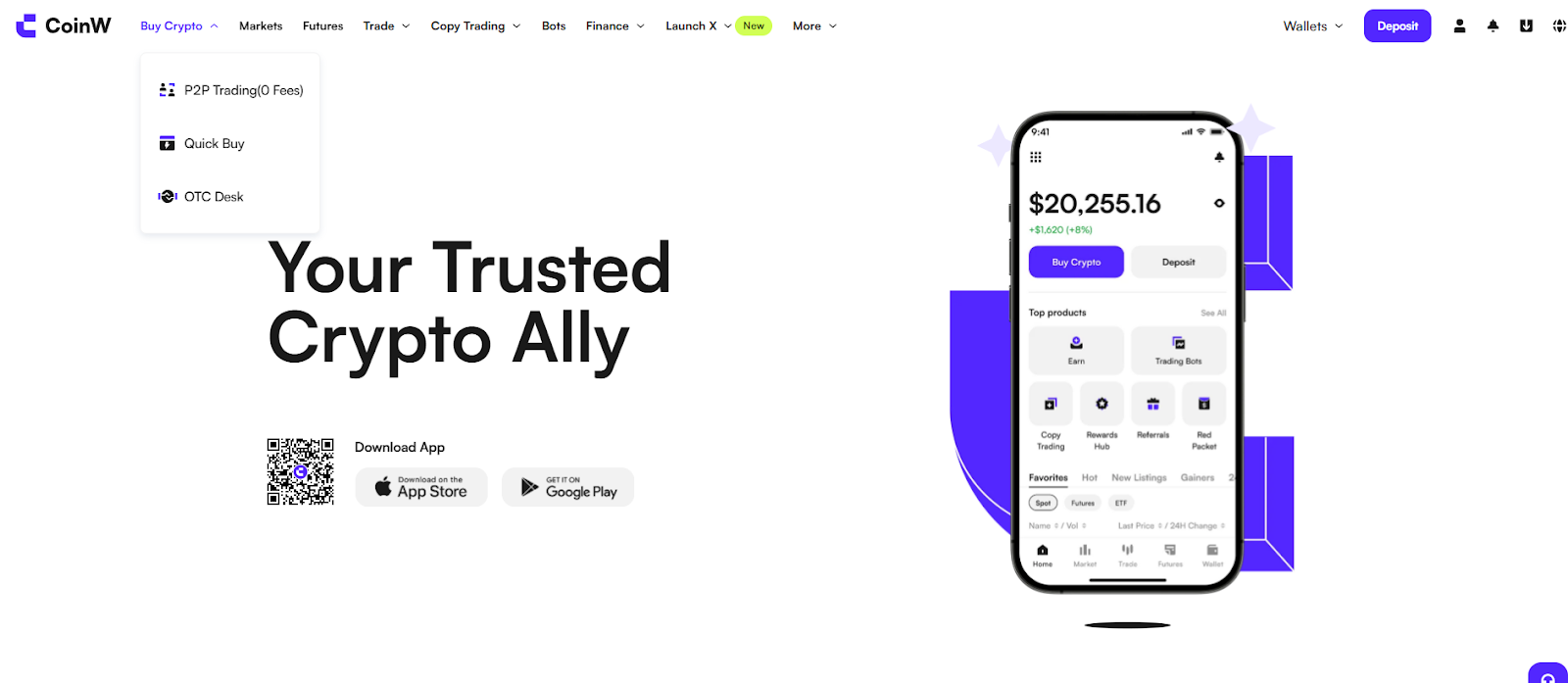
(1) Log in to the CoinW website, hover your mouse over the "Buy Crypto" button at the top, select "P2P Trading", enter the fiat trading interface and select "Sell USDT."
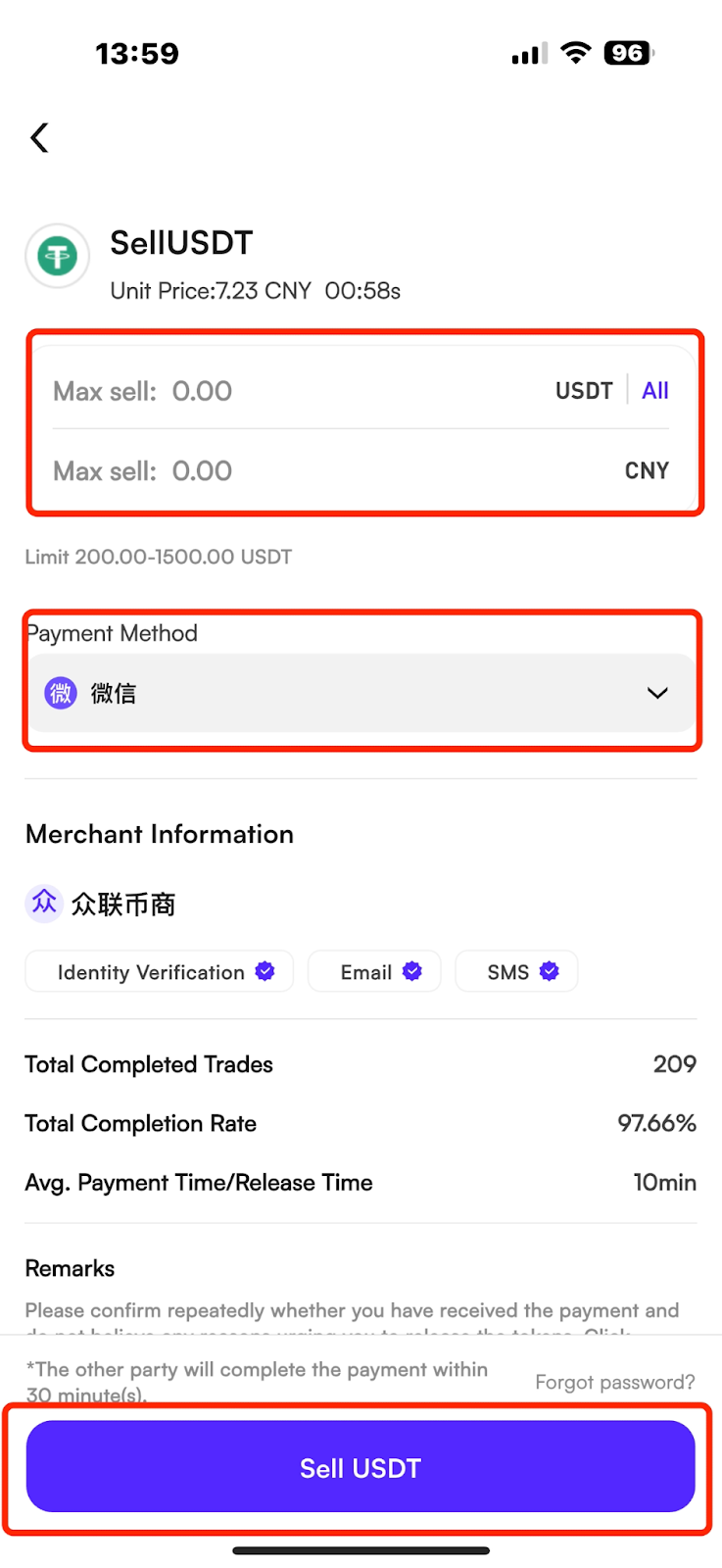
(2) Enter the amount or quantity you want to sell, and click "Confirm" to successfully initiate a sell order.
(3) After the merchant receives your order, they will transfer the payment to your designated payment method within the specified time. Once the transfer is successful, the merchant will mark the order as "Paid."
(4) You need to check your bank account to verify if the payment has been received and if the amount is correct. If you have successfully received the payment, please find the order and click "Confirm Receipt" to complete the order.
Important Reminder:
When you receive payment from the merchant, please check if the actual payer's name matches the merchant's certified name on CoinW. If they do not match, it is recommended to refund the payment to the original source to prevent risks such as account freezing.
Issues Related to Selling USDT
Q: Why does it show insufficient account assets when selling, even though there are assets in the account?
A: When selling, you need to transfer your USDT assets to the Buy Crypto Account.
Q: Why is the merchant not making the payment or unreachable after I initiate a sell order?
A: During favorable market conditions, there might be a surge in orders. Merchants process orders sequentially, so payment might take some time. Please be patient. You can also try contacting the merchant online or by phone for details. If you cannot reach the merchant:
Merchants set their own payment times, usually between 30-60 minutes. If the payment is not made within this time frame, the order will automatically cancel. You can then choose another merchant for the transaction.
Q: Why does it show "Triggered Safe Transaction" when selling?
A: After purchasing USDT in a P2P trading, you need to wait 24 hours before selling. This is a platform risk control rule. Please understand.
Q: Why does it require advanced verification to trade?
A: The platform requires basic C2 verification to participate in trading. However, some merchants set higher requirements, such as C3 advanced verification, for trading. You can choose other merchants to trade with.
Q: Why are there frozen assets in the Buy Crypto Account? How can I unfreeze them?
A: Generally, this happens because you have incomplete sell orders. If a sell order is canceled due to timeout, the assets will be unfrozen.
Procedure for Selling USDT in P2P Trading
At CoinW, we provide a USDT selling function, allowing you to convert your USDT into fiat currencies such as RMB, TWD, or USD.
Before selling USDT, you need to complete the following preparations:
(1) Transfer your USDT assets to the Buy Crypto Account.
(2) Bind your payment method.
WEB
(1) Open the CoinW app, log in to your account, click on the "Trade" button in the bottom navigation bar of the homepage to enter the trading interface. After entering the trading interface, click on the "Buy Crypto" button at the top to enter the P2P Trading interface.
(2) After entering the Buy Crypto trading interface, click the "Sell" button at the top to view the list of current merchant orders: You can use the filter options at the top to select a suitable merchant for the transaction. Once you've chosen a suitable merchant, click the "Sell USDT" button next to their advertisement to initiate a sell order.
(3) After the merchant receives your order, they will transfer the payment to your designated payment method within the specified time. Once the transfer is successful, the merchant will mark the order as "Paid."
(4) You need to check your bank account to verify if the payment has been received and if the amount is correct. If you have successfully received the payment, please find the order and click "Confirm Receipt" to complete the order.
APP
(1) Log in to the CoinW website, hover your mouse over the "Buy Crypto" button at the top, select "P2P Trading", enter the fiat trading interface and select "Sell USDT."
(2) Enter the amount or quantity you want to sell, and click "Confirm" to successfully initiate a sell order.
(3) After the merchant receives your order, they will transfer the payment to your designated payment method within the specified time. Once the transfer is successful, the merchant will mark the order as "Paid."
(4) You need to check your bank account to verify if the payment has been received and if the amount is correct. If you have successfully received the payment, please find the order and click "Confirm Receipt" to complete the order.
Important Reminder:
When you receive payment from the merchant, please check if the actual payer's name matches the merchant's certified name on CoinW. If they do not match, it is recommended to refund the payment to the original source to prevent risks such as account freezing.
Issues Related to Selling USDT
Q: Why does it show insufficient account assets when selling, even though there are assets in the account?
A: When selling, you need to transfer your USDT assets to the Buy Crypto Account.
Q: Why is the merchant not making the payment or unreachable after I initiate a sell order?
A: During favorable market conditions, there might be a surge in orders. Merchants process orders sequentially, so payment might take some time. Please be patient. You can also try contacting the merchant online or by phone for details. If you cannot reach the merchant:
Merchants set their own payment times, usually between 30-60 minutes. If the payment is not made within this time frame, the order will automatically cancel. You can then choose another merchant for the transaction.
Q: Why does it show "Triggered Safe Transaction" when selling?
A: After purchasing USDT in a P2P trading, you need to wait 24 hours before selling. This is a platform risk control rule. Please understand.
Q: Why does it require advanced verification to trade?
A: The platform requires basic C2 verification to participate in trading. However, some merchants set higher requirements, such as C3 advanced verification, for trading. You can choose other merchants to trade with.
Q: Why are there frozen assets in the Buy Crypto Account? How can I unfreeze them?
A: Generally, this happens because you have incomplete sell orders. If a sell order is canceled due to timeout, the assets will be unfrozen.