FAQ
Operation Process for Setting Up P2P Payment Reception
Note: Before proceeding with P2P Trading, you need to complete the C2 primary identity verification for your account and bind your payment method. Here is how to bind the payment method for P2P Trading on the CoinW platform.
WEB
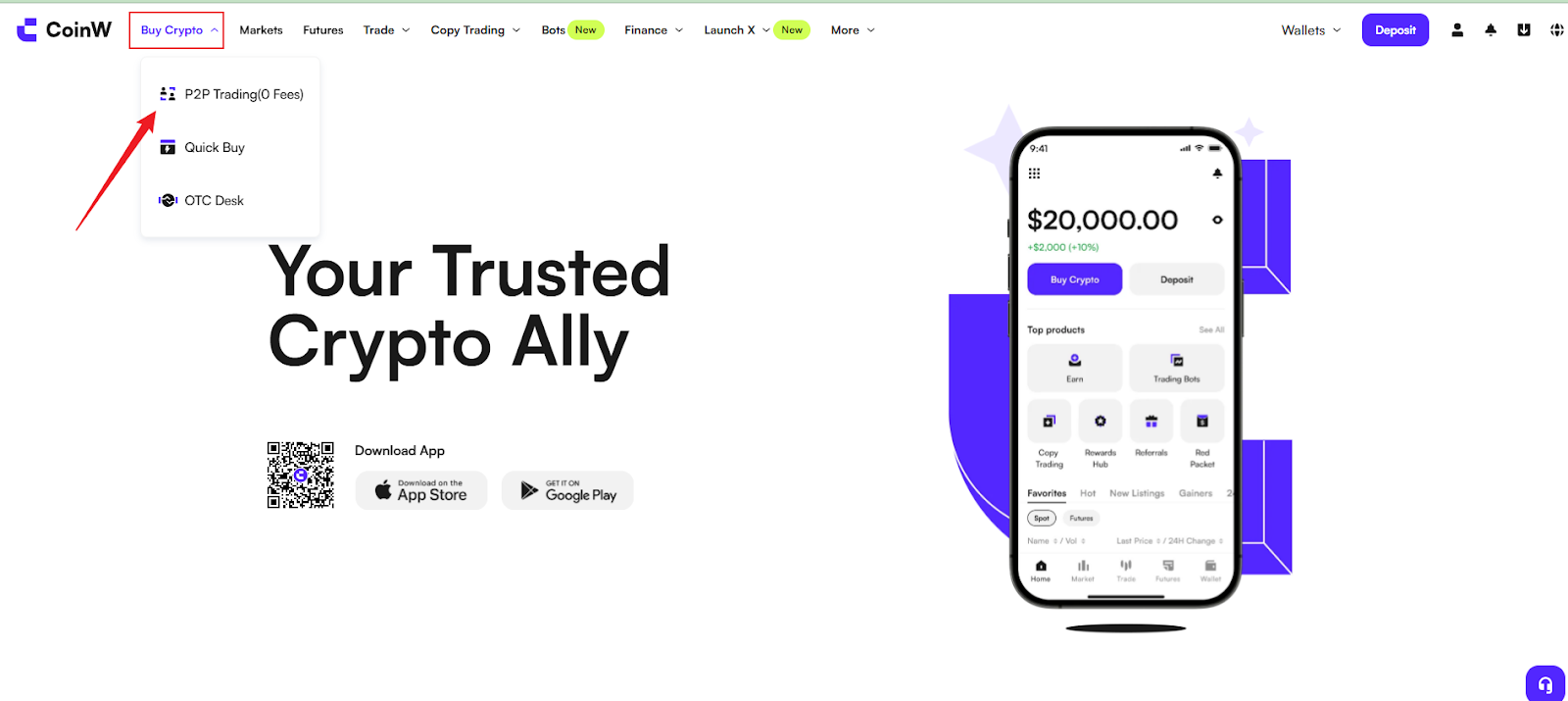
(1) Sign in to the CoinW official website and click on【Buy Cyrpto】. Then click on 【P2P Trading (0 Fees)】 to enter the P2P trading interface.
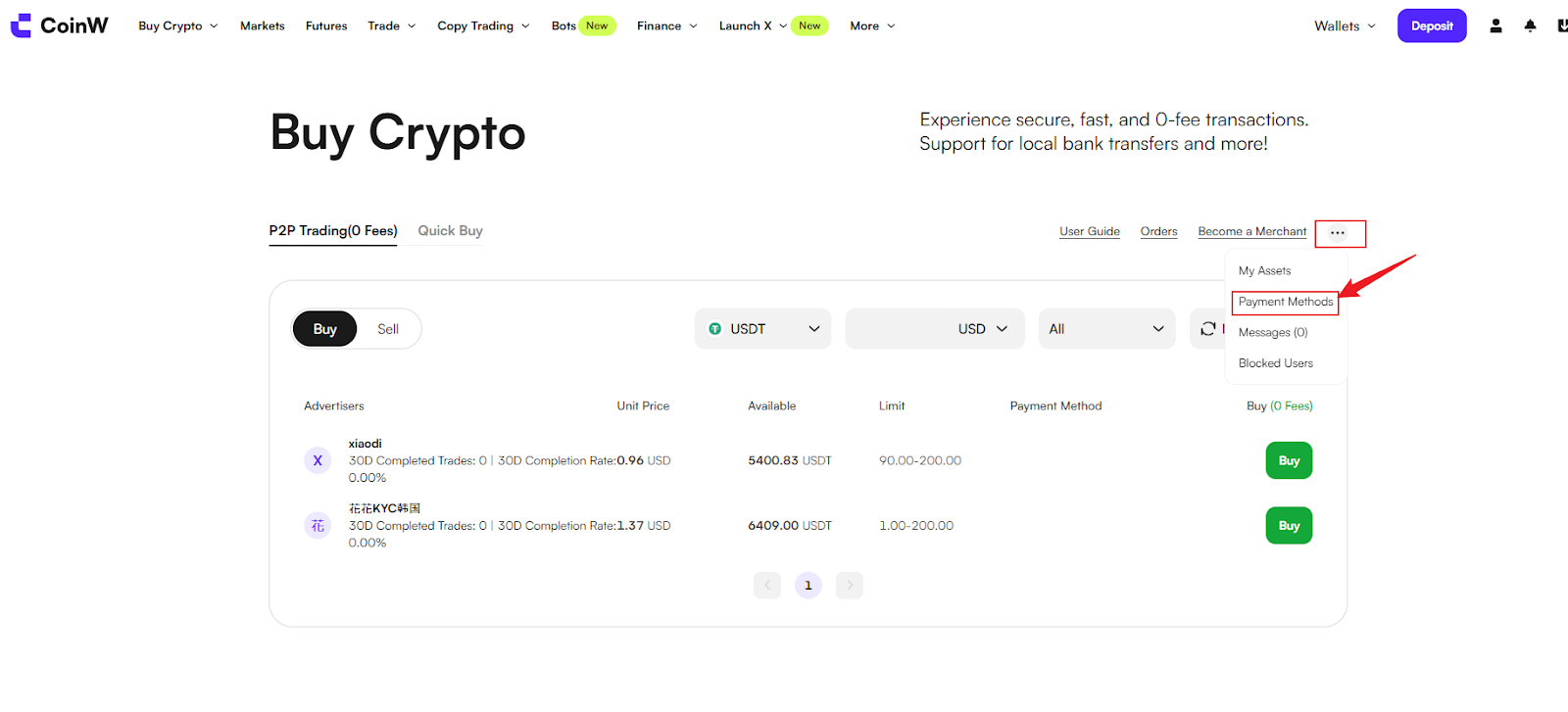
(2) After entering the P2P trading interface, hover your mouse over the 【...】 icon in the top right corner, and click the 【Payment Method】button to join the binding payment method interface.
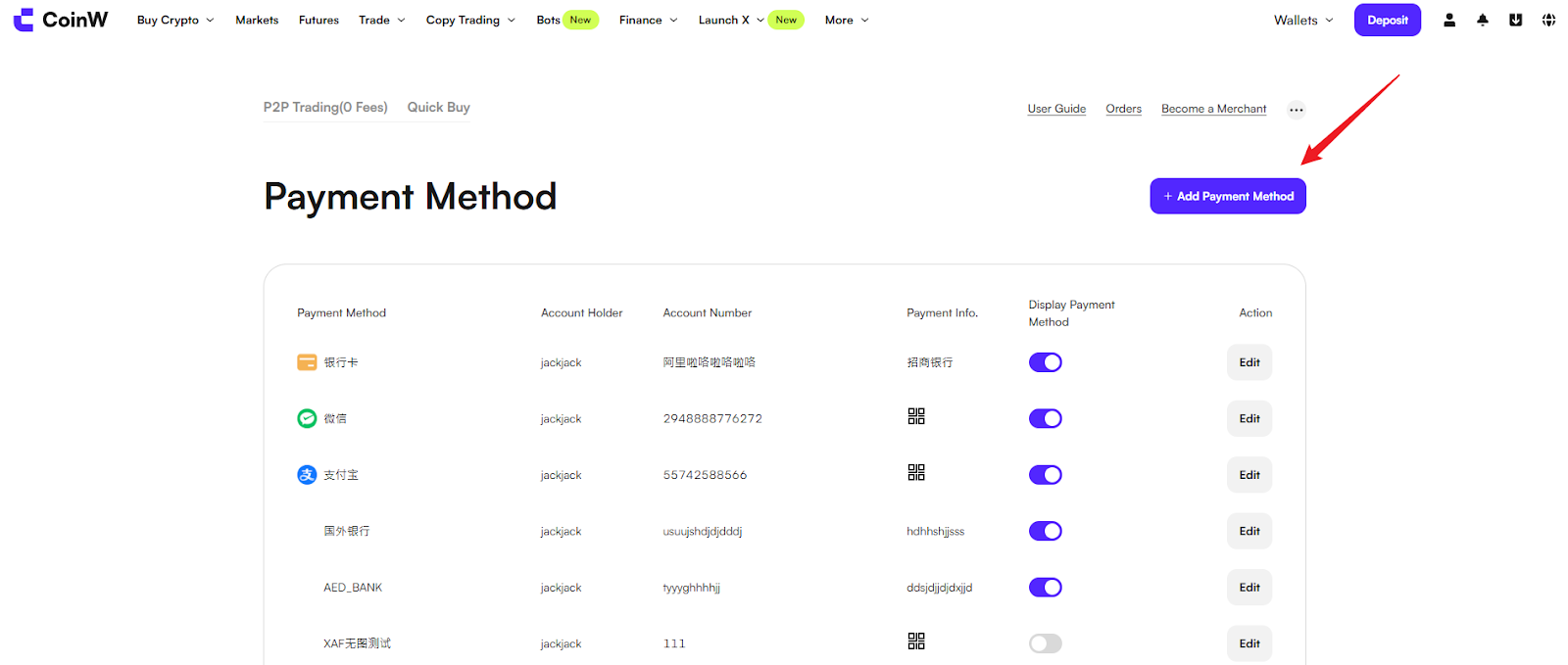
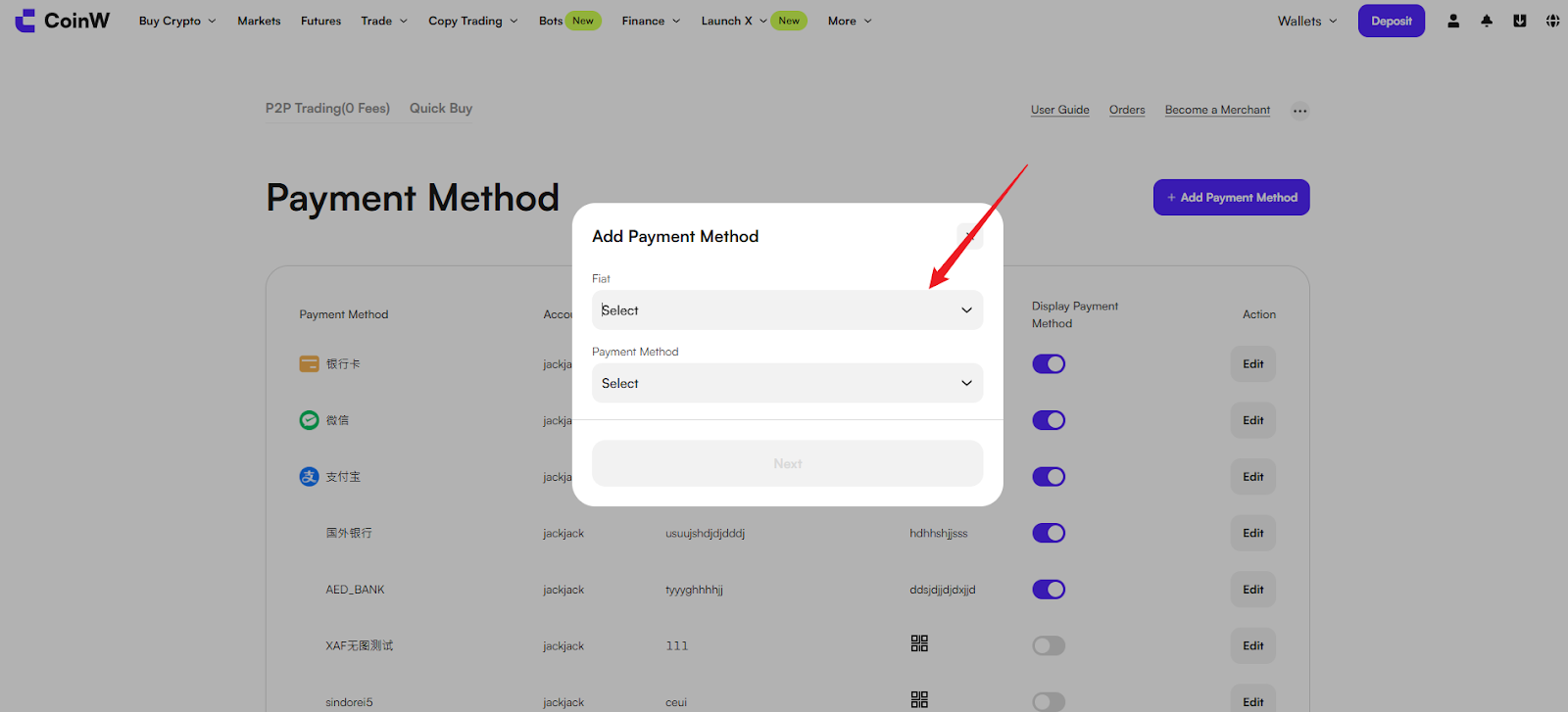
(3) Click the【Add Payment Method】 button in the top right corner, select the fiat-based on your country currency and choose the payment method you want to add.
Note: Please make sure to carefully check the accuracy of the information you fill in. The payment method will be used to receive funds when you sell USDT. If the account information is incorrect, it may result in the loss of your assets.
APP
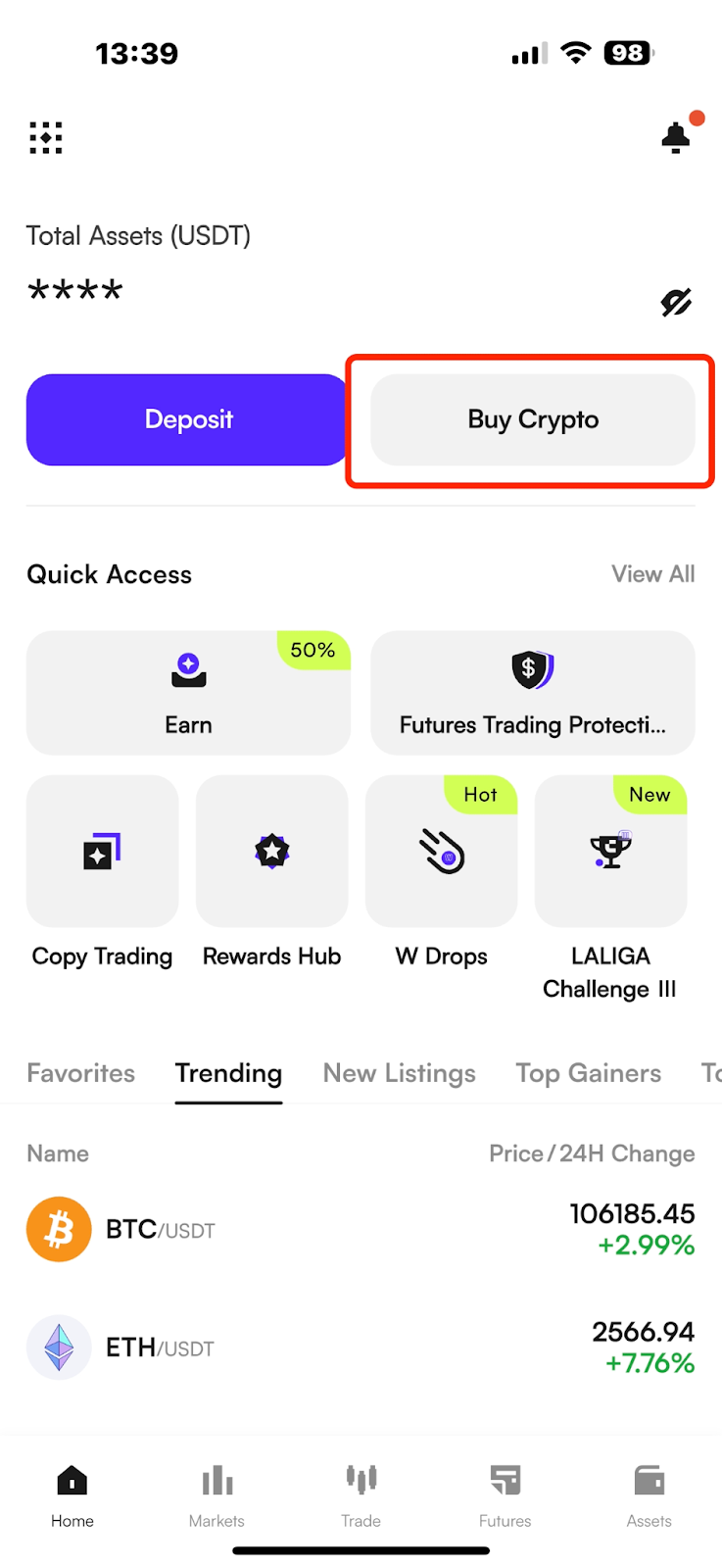
(1) Log in to the CoinW app, click the "Buy Crypto" button at the top to enter the Buy Coin trading interface.
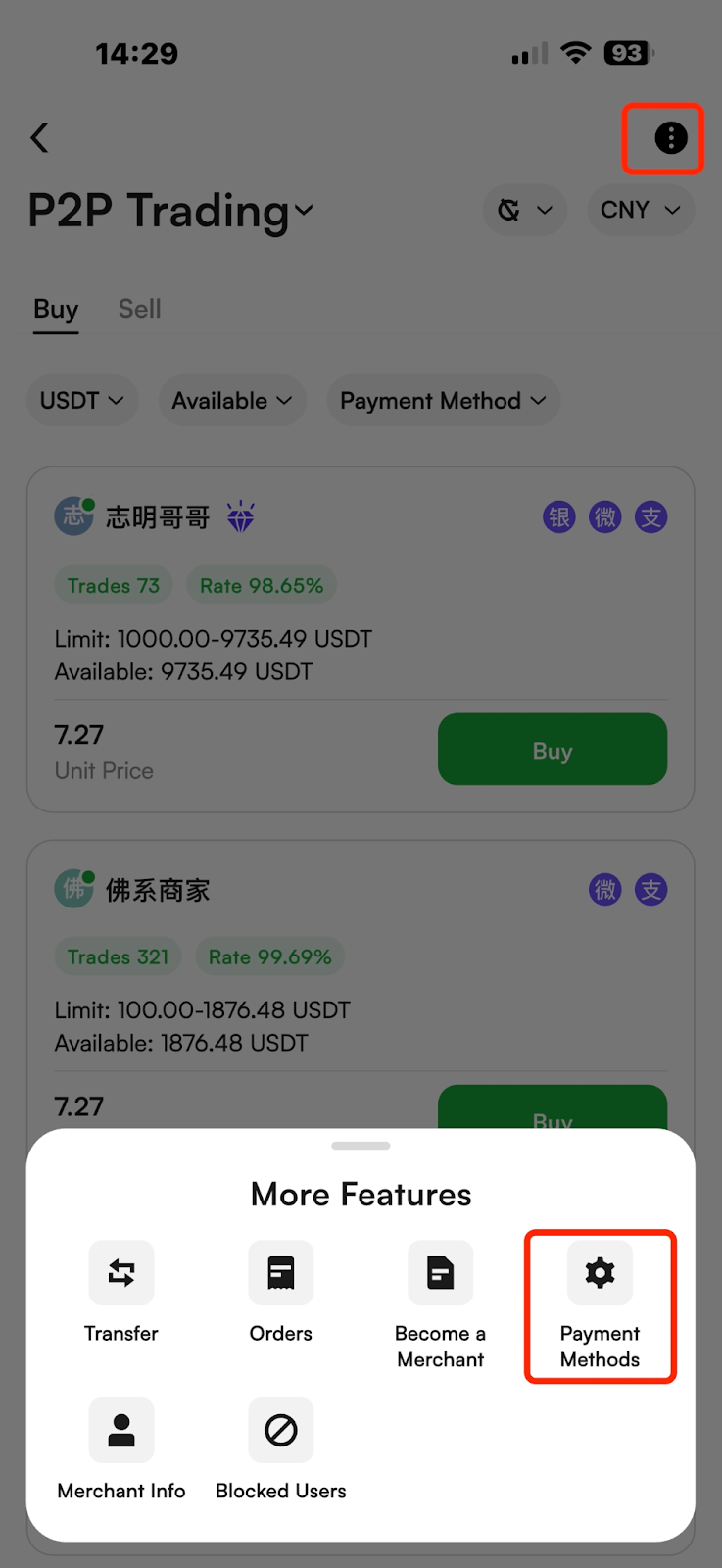
(2) After entering the Buy Crypto interface, click the "..." icon in the top right corner, and then click the "Payment Methods" button to enter the payment binding settings interface.
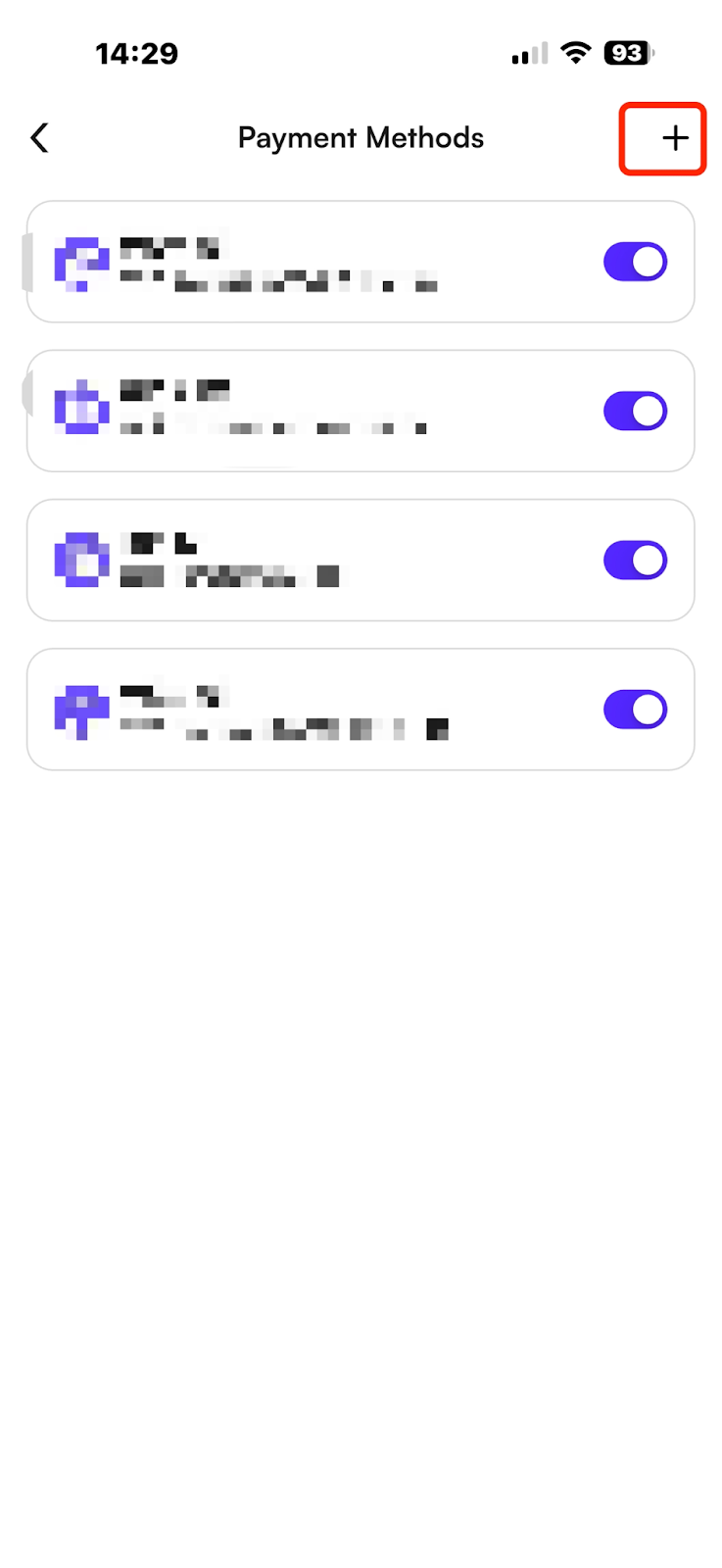
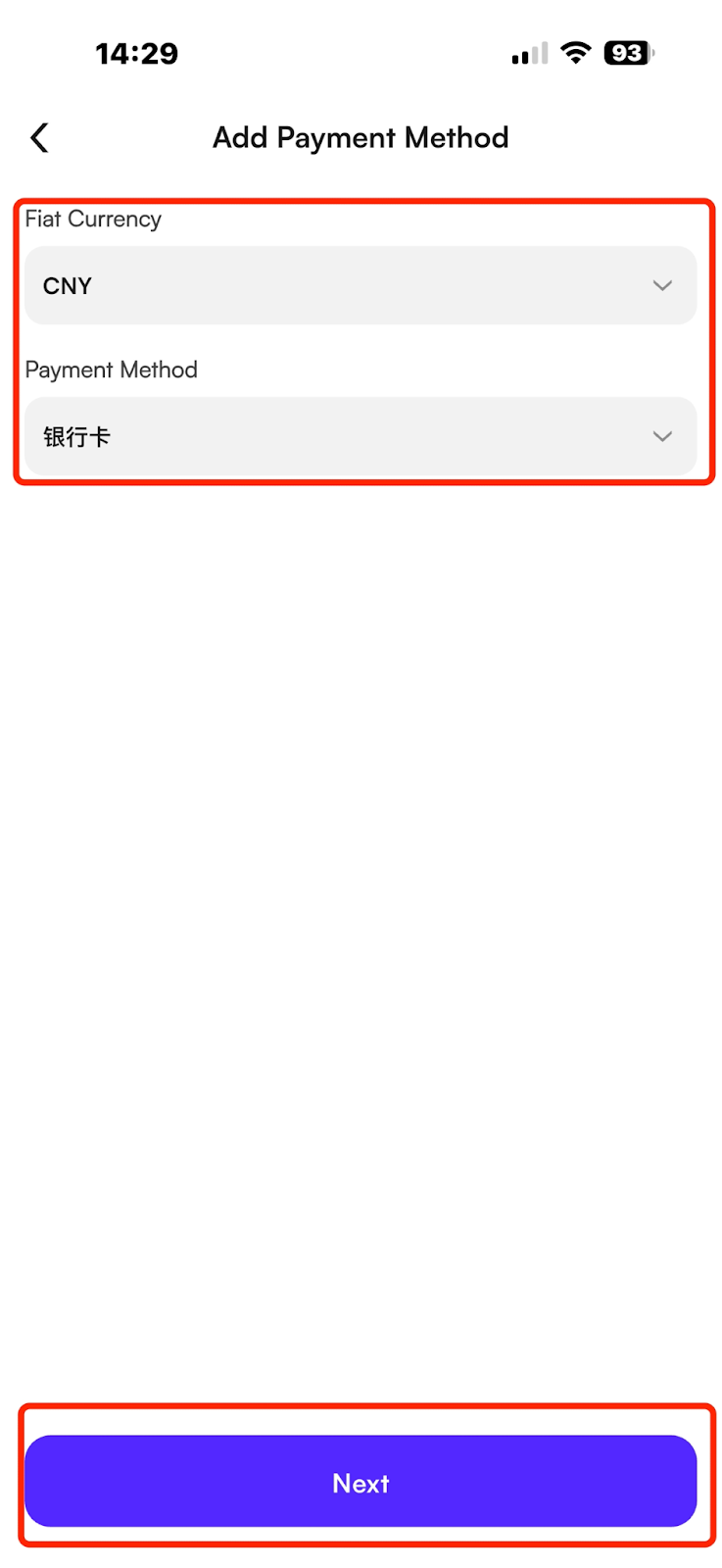
(3) Click the "+" icon in the top right corner, select the fiat-based on your country currency and choose the payment method you want to add.
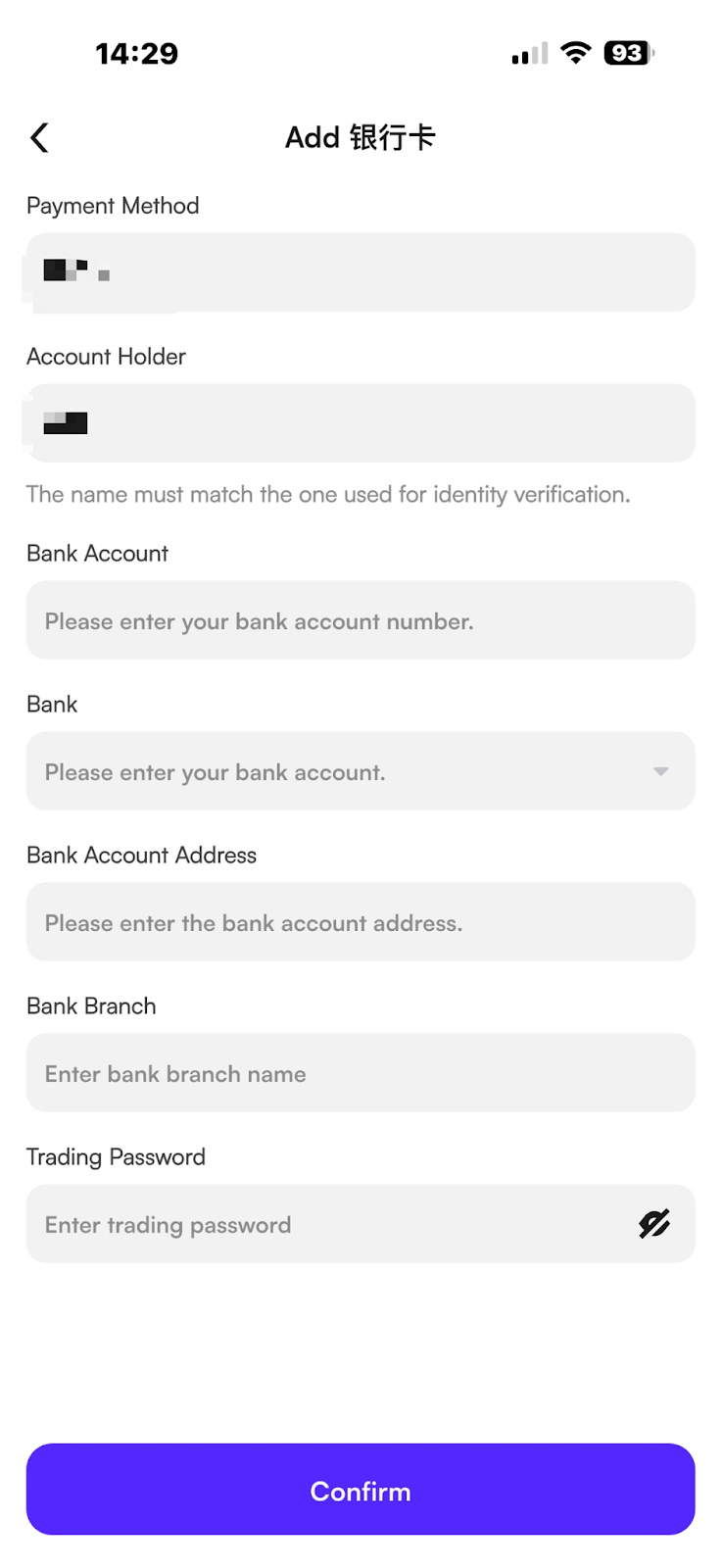
Note: Please make sure to carefully check the accuracy of the information you fill in. The payment method will be used to receive funds when you sell USDT. If the account information is incorrect, it may result in the loss of your assets
Operation Process for Setting Up P2P Payment Reception
Note: Before proceeding with P2P Trading, you need to complete the C2 primary identity verification for your account and bind your payment method. Here is how to bind the payment method for P2P Trading on the CoinW platform.
WEB
(1) Sign in to the CoinW official website and click on【Buy Cyrpto】. Then click on 【P2P Trading (0 Fees)】 to enter the P2P trading interface.
(2) After entering the P2P trading interface, hover your mouse over the 【...】 icon in the top right corner, and click the 【Payment Method】button to join the binding payment method interface.
(3) Click the【Add Payment Method】 button in the top right corner, select the fiat-based on your country currency and choose the payment method you want to add.
Note: Please make sure to carefully check the accuracy of the information you fill in. The payment method will be used to receive funds when you sell USDT. If the account information is incorrect, it may result in the loss of your assets.
APP
(1) Log in to the CoinW app, click the "Buy Crypto" button at the top to enter the Buy Coin trading interface.
(2) After entering the Buy Crypto interface, click the "..." icon in the top right corner, and then click the "Payment Methods" button to enter the payment binding settings interface.
(3) Click the "+" icon in the top right corner, select the fiat-based on your country currency and choose the payment method you want to add.
Note: Please make sure to carefully check the accuracy of the information you fill in. The payment method will be used to receive funds when you sell USDT. If the account information is incorrect, it may result in the loss of your assets